A suggested first-session route: roll, equip, destroy and check rewards. Gameplay examples were reviewed on 13 September 2026; the time blocks are a checklist, not measured completion times.
Updated
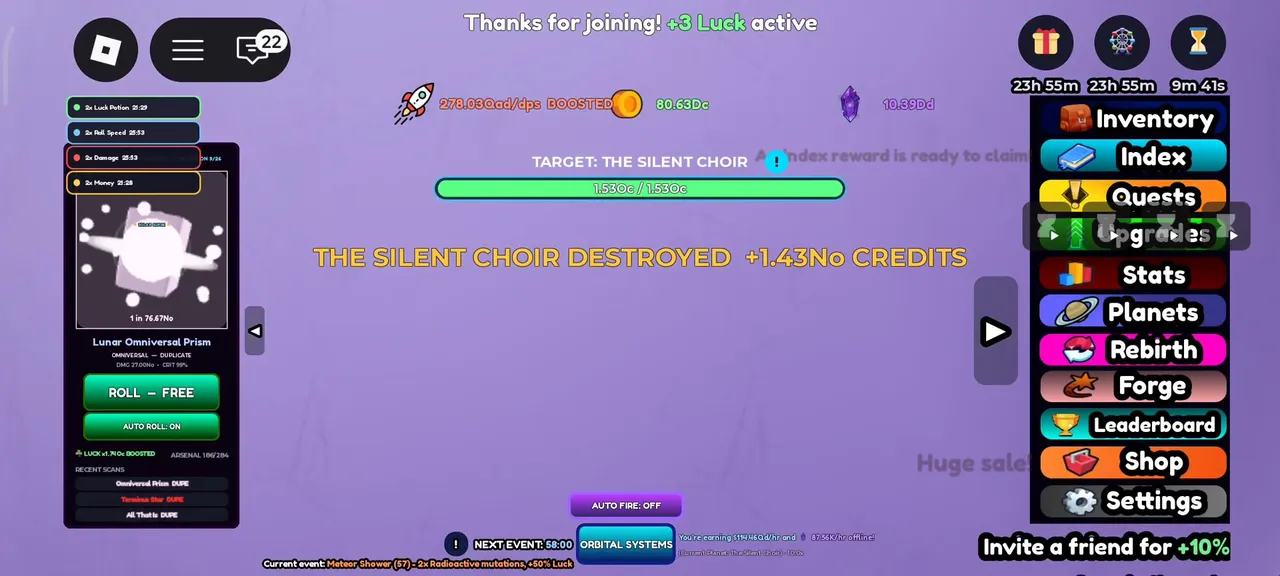
The loop this guide builds toward: weapons destroying a planet while the credits counter climbs.
The loop in one paragraph
Roll for weapons, equip the best ones, point them at a planet, watch it break, spend the credits on the next planet, and repeat. Rebirths, mutations, constellations and events add progression systems around those steps. Your first session is about getting all five moving; none of them needs to be optimal yet.
Minute 0–5: finish the tutorial and make your first rolls
The tutorial walks you through the interface and unlocks the menus — finish it before anything else, because parts of the UI stay locked until it is done. You emerge with the roll controls: the big ROLL - FREE button bottom-left (E on keyboard also prompts a roll, per the official key art), and an AUTO ROLL toggle right beside it that keeps scans running without you.
Turn AUTO ROLL on immediately. Rolls are free on the base timer, the results go straight into your Arsenal, and nothing else in the game happens faster because you clicked manually.
The two controls that matter in the first five minutes: ROLL - FREE and AUTO ROLL: ON.
Minute 5–10: equip everything that helps, then destroy
Open the Inventory and equip your new weapons (AUTO EQUIP BEST in the store laters handles this automatically, but early on there are few enough guns to do it by hand). Equipment slots are limited — the store sells '+1 Weapon Slot' for later — so equip the strongest few and keep rolling in the background.
Then destroy. Click your planet, or switch AUTO FIRE on and let the weapons work. The Moon is your first target, and destruction pays credits continuously as the bar fills — big payouts flash across the centre of the screen.
Minute 10–15: free rewards before anything else
Open Settings to try a code. The official description names CELESTIAL and MUTATE for potions; the codes page also lists six media-reported entries with sources. Then check the group-gift prompt for Planet World Inc. The current description advertises a gift for liking, favoriting and joining, without specifying its value.
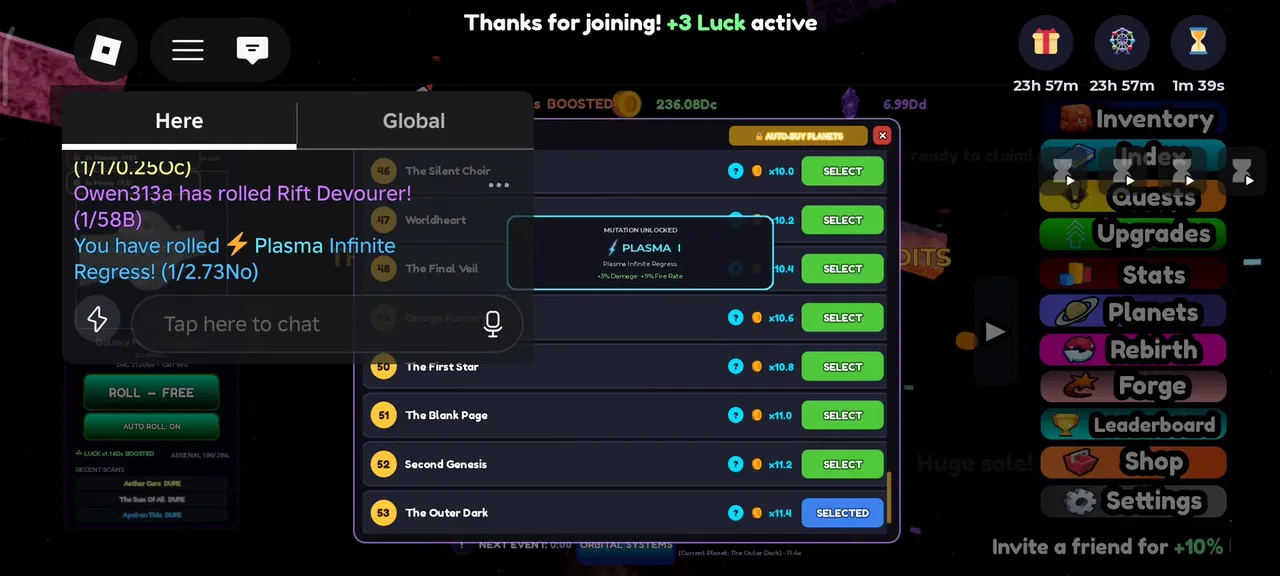
Historical footage shows +3 and +2 Luck join-bonus variants. Check your current confirmation instead of assuming the exact bonus. A potion reward is an inventory item; neither its redemption nor an old group banner establishes a permanent boost.
Historical HUD frame reviewed 13 September: BOOSTED appears beside Luck. This does not establish a stacking formula.
Minute 15–25: buy the next planet, keep the loop hot
Credits from the first planets go into the Planets panel — buy the next row as soon as you can afford it. Each row raises your income multiplier (rows 27+ sit at x6.2 and climbing, per our ladder readings), so a new planet is the single biggest thing early credits can buy. Planets also unlock the destruction targets that pay even bigger.
Minute
Do this
Why
0–5
Finish tutorial, turn AUTO ROLL on
Unlocks UI; rolls compound from second one
5–10
Equip weapons, start destroying the Moon
First credit income
10–15
Try published codes and check the group prompt
Read the response to confirm your reward
15–25
Buy the next planet row
Multiplier raises all future income
25–30
Check potion cards and active timers
Confirm what is active before using another copy
Minute 25–30: set up the habits that matter
Check daily rewards and the current event strip before leaving. Historical footage shows a seven-day reward track and a Meteor Shower label advertising +50% Luck. Use your own screen for the current reward, countdown and active effect; these examples do not establish the best time to use a potion or how bonuses stack.
What NOT to worry about yet
Mutations, rebirths, constellations and the Forge menu are all mid-game systems. Rebirth in particular is worth ignoring until the panel says you can comfortably afford it — it keeps your weapons and upgrades (the panel prints 'All your weapons, upgrades & fleets are kept!'), so nothing is lost by waiting, and the multipliers it grants are wasted on a tiny credit income anyway.
FAQ
How to Play Planet RNG — First 30 Minutes FAQ
What should I do first in Planet RNG?
Find the roll controls, equip a weapon and start destroying a planet. Check the next price in Planets, then open Settings to try a published code. Follow the current creator-group reward prompt and read the response rather than assuming a specific bonus.
Is Planet RNG pay-to-win?
Everything core is earnable: rolls are free on a timer, planets are bought with credits, and codes hand out potions. The store sells permanent 2x passes and automation conveniences — genuinely useful, but the game runs without them, and our passes guide prices each one.
How long until I can rebirth?
Rebirths cost credits and the cost climbs quickly ($1.91Td on one save we read). Do not plan around a timer — the Rebirth panel shows your live cost, and the rule that holds is simple: press it when the button stops saying NOT ENOUGH CREDITS.